Star/ZLR F9006 MIUI Port
This one is from 2014, back when I flashed ROMs for fun. Most of the download links below have been dead for years, so it's here for the memories more than as a guide.
I own a ZLR F9006 (MTK6582) device for quite a while and I realized that there are no custom ROMs. Actually there is nothing, no one talks about it. Although it's a great and cheap device!
Some days ago I got bored of some features like the grapes in the lockscreen and the battery consumption. So as a programmer I started porting a MIUI ROM in order to fix any current issue.
Today I am proud to present the fully functional (not so sure) ROM.
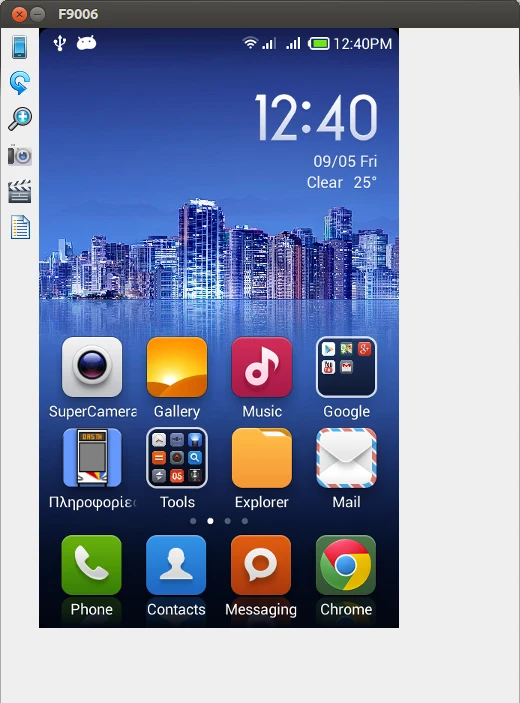
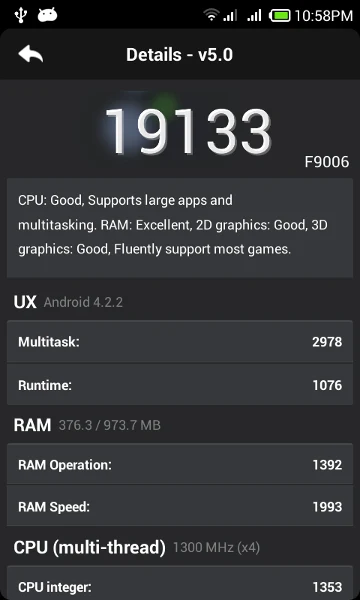
Based on Star W450 MIUI 4.4.11 ROM, Android version 4.2.2
Download
F9006 MIUI 4.4.11 v1 (the zip was hosted on needrom.com, no longer available).
Preparation
Charge your phone.
Transfer the ROM .zip file to your SD card.
If you have CWM (ClockWorkMod Recovery) installed skip to step 2.
Installation
Step 1.
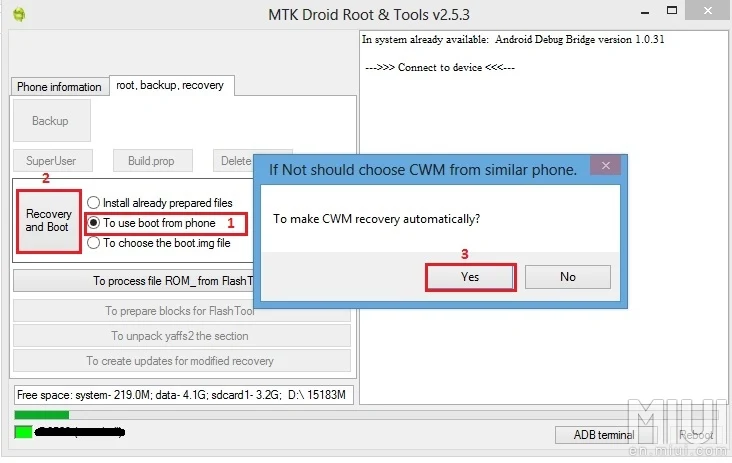
Install ClockWorkMod Recovery using MtkDroidTools. Enable USB debugging in order to recognize your device.
Select the "root, backup, recovery" tab, then select the "to use boot from phone" option and click "Recovery and Boot". A dialog will pop up, click YES.
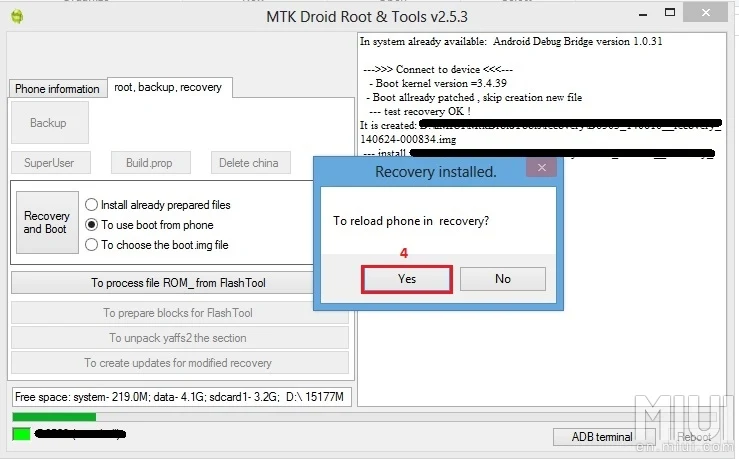
After that it will ask you to boot the phone into recovery mode. If you select Yes skip to step 3.1.
Step 2.
Power off your device.
Press and hold Volume Up and Power.
Select Recovery.
Step 3.1 (optional, recommended)
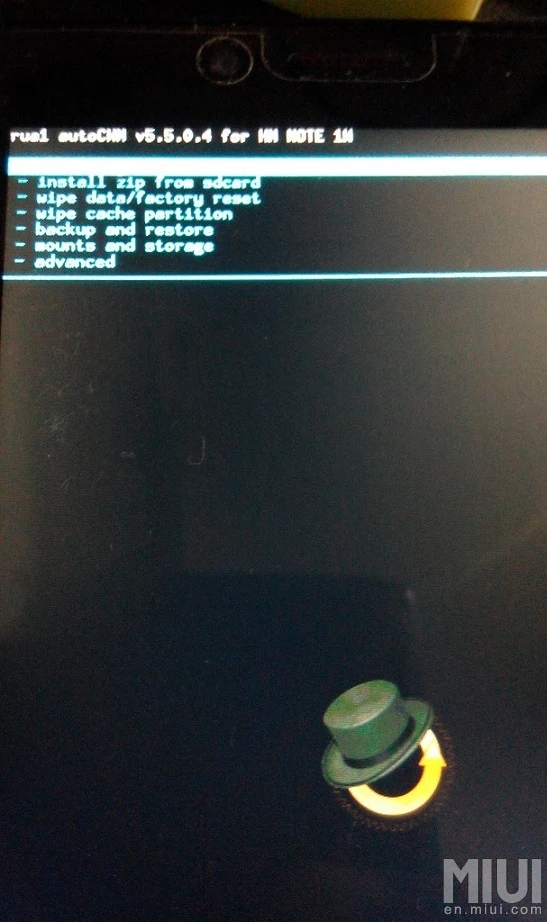
It would be good to make a backup using CWM before you continue. Use the volume keys to navigate and the power button to select.
Step 3.2
Perform a factory reset ("wipe data/factory reset").
Be patient, it can take some minutes according to your installed data.
Step 4.
Install the zip file.
Be patient, it takes a while to format the system.
Step 5.
Reboot.
Wait about 2–10 minutes for it to boot properly.
After installation (optional)
Step 1.
Install Google applications (e.g. Play Store, Maps…) from a flashable zip, using CWM recovery.
Step 2.
Root your device with the Framaroot app. Select Barahir; if it doesn't work, select any of the others. Reboot.
Step 3.
Install SuperSU from the Play Store.
Step 4.
Install Lenovo Super Camera for better results.